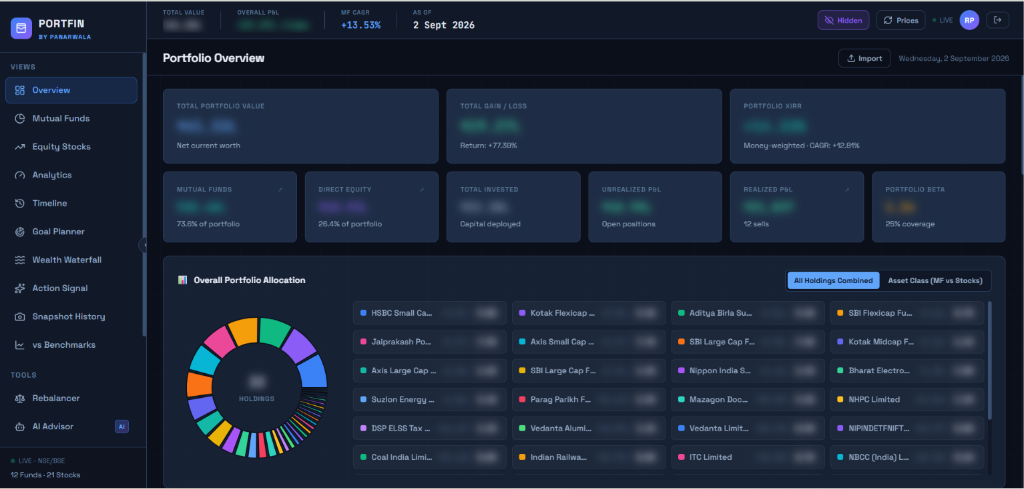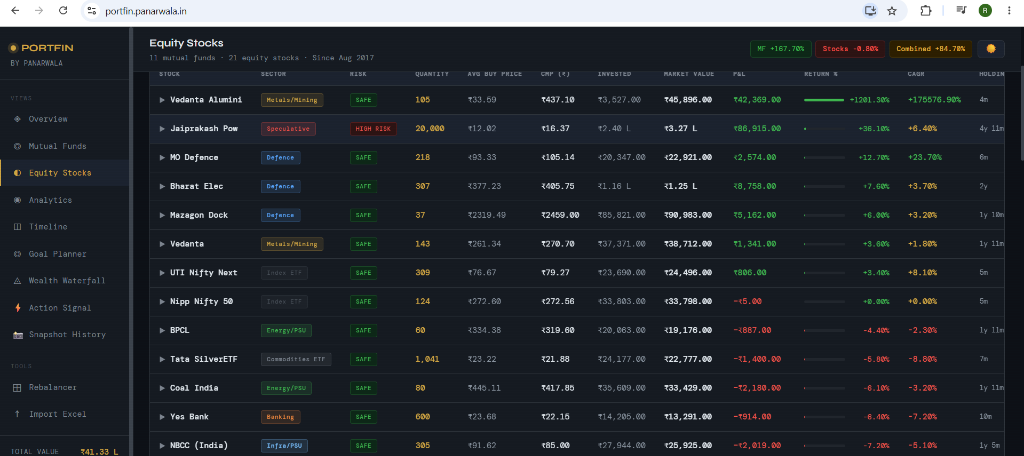
Broker-exported portfolio files contain useful transaction and holding data but are difficult to evaluate across allocation, risk, return, tax, and long-term goals. PortFin parses those files locally and converts them into a connected set of investor-focused dashboards and planning tools.
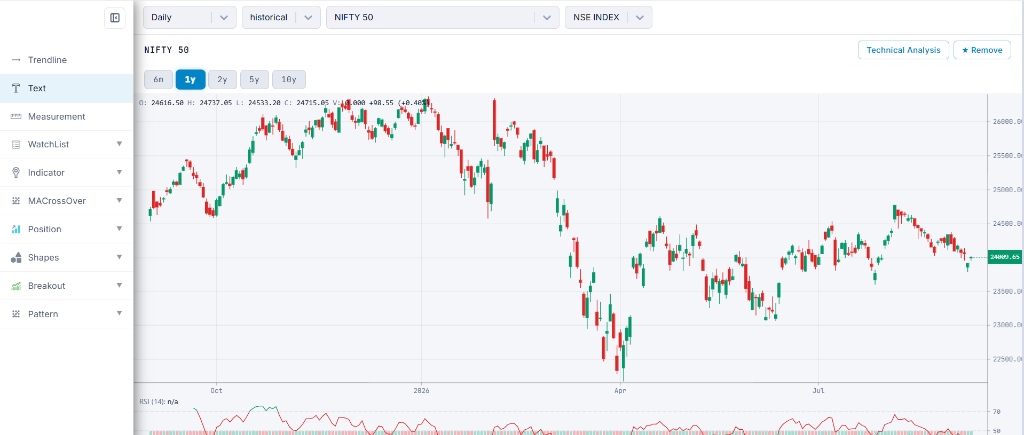
PortFin - Excel portfolio dashboard
A no-backend investment dashboard that turns mutual-fund and stock Excel files into portfolio analytics, planning tools, tax views, and action signals.
About PortFin - Excel portfolio dashboard
PortFin is a browser-only personal investment dashboard for Indian mutual funds and stocks. After the user loads two Excel portfolio files, it calculates allocation, performance, risk, tax, goal, timeline, snapshot, and rebalancing views without sending portfolio data to a backend.
Product thinking
Challenge and approach
The analytics layer calculates money-weighted XIRR with Newton-Raphson, lot-level holding periods, portfolio health dimensions, benchmark alpha, allocation drift, goal projections, and tax-aware stock views. Browser storage retains the selected theme, weekly checklist, and monthly snapshot history.
Capabilities
Main features
Mutual-fund and stock Excel import with immediate dashboard refresh
Allocation, P&L, CAGR, XIRR, concentration, and risk-return analysis
Lot-level and monthly drill-downs for funds and stocks
Tax-harvesting, benchmark comparison, and holding-period views
Goal planning, Monte Carlo scenarios, rebalancing, and wealth waterfall
Timeline, action signals, snapshots, and CSV exports
Architecture
How the system is structured
- 01
The application uses static HTML, a CSS design system, and modular vanilla JavaScript without an application backend.
- 02
SheetJS parses .xlsx and .xls files directly in the browser and updates a shared in-memory data store.
- 03
Separate page modules handle overview, funds, stocks, analytics, timeline, goals, snapshots, and portfolio tools.
- 04
Chart.js renders line, bar, donut, drawdown, projection, and portfolio visualizations.
Implementation
Technology and data
Technology stack
- HTML5
- CSS3
- JavaScript
- Chart.js
- SheetJS
- localStorage
Data sources
- User-provided mutual-fund and stock Excel files
Engineering details
Technical considerations
PrivacyData and privacy
- Portfolio files are parsed in the browser and are not uploaded to an application server.
- The dashboard requires no account, database, or backend setup.
- Snapshot history and interface preferences remain in browser storage.
Current scopeKnown limitations
- The dashboard depends on correctly structured mutual-fund and stock Excel files.
- The drawdown and Monte Carlo views are simulations rather than predictions of future returns.
- Live market-data integration is listed as a future improvement rather than a current feature.
- Browser storage is local to the current device and browser profile.
Use cases
What the project supports
- Review mutual-fund and stock allocation from broker-exported files
- Analyse lot-level returns, holding periods, and estimated tax exposure
- Model investment goals and portfolio-rebalancing scenarios
- Export portfolio tables and monitor locally saved snapshots