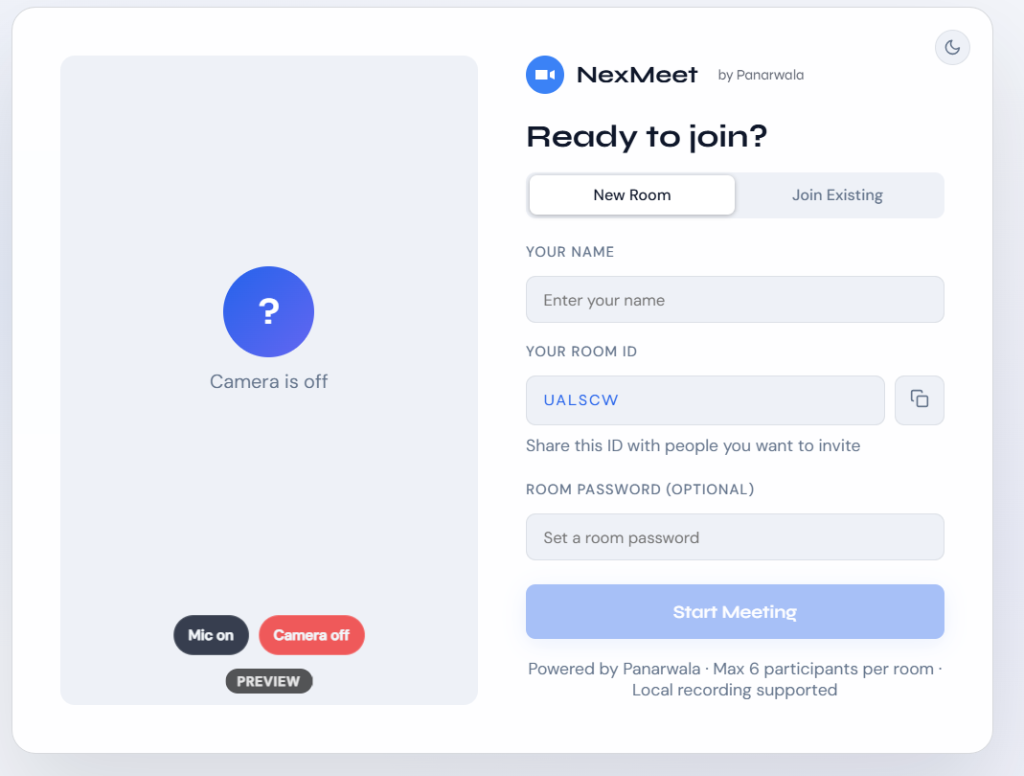
Small browser meetings often need collaboration tools beyond basic audio and video while still keeping sensitive media away from the application server. NexMeet keeps camera, microphone, and screen media peer-to-peer and uses its Node.js server only for signaling and transient room state.
NexMeet WebRTC
A browser-based video conferencing and collaboration app with peer-to-peer media, screen sharing, captions, recording, chat, and a shared whiteboard.
About NexMeet WebRTC
NexMeet is a browser meeting application for small WebRTC mesh calls with up to six participants per room. Alongside camera and microphone communication, it combines two concurrent screen shares, screen annotations, live captions, local composite recording, rich chat, a shared whiteboard, and host-managed room controls.
Product thinking
Challenge and approach
Screen annotations use SVG overlays with coordinates relative to the letterboxed video content, keeping marks aligned across layouts. Local recording combines participant tiles and screen shares on a canvas, while the Web Audio API mixes available audio streams before MediaRecorder creates the downloadable recording.
Capabilities
Main features
WebRTC mesh meetings for up to six participants
Password-protected and host-lockable rooms
Up to two concurrent screen shares with annotation tools
Live captions, local composite recording, and device switching
Rich room chat, shared whiteboard, reactions, and file attachments
Host controls, participant status, meeting timer, and connection-quality indicators
Architecture
How the system is structured
- 01
React and Vite provide the browser client, while Node.js, Express, and Socket.IO handle signaling and transient room state.
- 02
Camera and microphone streams use a peer-to-peer WebRTC mesh; the signaling server never receives meeting media.
- 03
Screen shares use dedicated, direction-aware RTCPeerConnection instances instead of replacing camera tracks.
- 04
Focused React hooks isolate socket, device, peer-connection, annotation, recording, whiteboard, caption, quality, timer, and theme behavior.
Implementation
Technology and data
Technology stack
- React
- Vite
- Node.js
- Express
- Socket.IO
- WebRTC
- MediaRecorder
- Canvas
- Web Audio API
- Web Speech API
- SVG
Engineering details
Technical considerations
PrivacyData and privacy
- Camera, microphone, and screen-share media travel directly between peers rather than through the NexMeet server.
- Speech recognition runs locally through the browser Web Speech API; audio is not sent to the signaling server.
- Composite recordings remain local and are never uploaded by the application.
- Whiteboard and annotation state is transient and kept only for the room or active share lifetime.
ReliabilityRecovery and cleanup
- Separate ICE candidate queues for camera and screen-share connections
- ICE restart and renegotiation paths for failed peer connections
- Socket.IO reconnection attempts with visible reconnecting state
- Explicit cleanup of peer connections, local media, screen shares, and recording state on leave
Current scopeKnown limitations
- Mesh topology is intentionally limited to six participants; larger rooms require an SFU architecture.
- Production use behind restrictive networks requires configured TURN credentials in addition to the bundled public STUN servers.
- Screen sharing, speaker selection, recording formats, and live captions vary by browser and device capability.
- The repository does not currently specify an open-source license.
Use cases
What the project supports
- Run small browser-based video meetings
- Present and annotate up to two shared screens
- Collaborate through captions, chat, whiteboard, files, and reactions
- Record a composite meeting locally without uploading it