Desktop ApplicationDesktop build

Folder Structure Creator

A feature-rich Windows desktop application built with .NET 8 WPF to visually design nested folder blueprints, diff against physical disks, sync in real-time, and export standalone deployment scripts.

PlatformWindows desktop application (.NET 8 WPF)
RoleDesktop engineering
Tech Stack8 Technologies
Capabilities11 Modules
Folder Structure Creator (.NET 8 WPF)Folder Structure CreatorDesign a reusable folder plan, then create it in a target destination.⚡ Command Palette (Ctrl+K)1. Blueprint2. Destination💾 Real Drives⭐ Pinned Folders📁 MarriagesChart▶ 📁 C:\ (System)▼ 📁 D:\ (Projects)└ 📁 Marriages▶ 📁 F:\ (Backup)[+ MISSING: 4][✓ MATCH: 12]📋 Blueprint (Draft)+ Add root📥 Import💾 .ps1/.batTreeChartAdd names: src, docs, tests, scriptsMarriagesIsrak's marriageMy Marriage12fb picmobile picvideopart-1part-2part-3part-4DESTINATION PATH🔍 Diff vs DiskD:\Marriages🚀 Create structure
Visual folder blueprints, disk diffing, and script generation
Project Overview

About Folder Structure Creator

Folder Structure Creator is a native Windows desktop application built with .NET 8 and WPF for visual filesystem architecture, directory blueprinting, and automated folder provisioning. It enables developers, DevOps engineers, and system administrators to design nested folder structures from scratch or imported reference directories, compare blueprints against physical disks with color-coded diff badges, sync changes live, and generate standalone PowerShell, Batch, or Bash deployment scripts.

Product thinking

Challenge and approach

The Challenge

Setting up standard project directory structures, monorepo architectures, and nested workspace templates across development environments is often tedious, error-prone, and difficult to audit against actual disk state. Folder Structure Creator unifies visual folder design (indented Tree View and dendrogram Org Chart diagram), keyboard-first command execution (Ctrl+K), and intelligent diff comparison into a native desktop workflow.
The Solution & Approach

The application leverages .NET 8 WPF with custom XAML control templates, dynamic theme resource dictionary swapping, and asynchronous I/O via System.IO. The command palette implements fast fuzzy search matching, while the diff engine calculates set differences between blueprint nodes and physical filesystem hierarchies to isolate missing and extra directories.

Capabilities

Key capabilities & features

01

Interactive dual blueprint visualization: expandable indented Tree View and dendrogram Org Chart diagram

02

Blueprint vs. Physical Disk Visual Diff engine with color-coded status badges ([+ MISSING], [✓ MATCH], [⚡ EXTRA])

03

Incremental creation mode ('Create Missing Only') to provision directories safely without overwriting existing files

04

Spotlight Command Palette (Ctrl+K) with fuzzy search across themes, views, diffs, and export actions

05

Quick Batch-Add folder syntax using comma-separated values (e.g., src, docs, tests, scripts)

06

Directory import with drag-and-drop from Windows Explorer and hang-proof bounded directory enumeration

07

Smart ignore rules engine respecting .structureignore and .gitignore (auto-filtering node_modules, .git, bin, obj)

08

Standalone script export for PowerShell (.ps1), Windows Batch (.bat), and Unix Bash (.sh) with LF formatting

09

Live Computer Sync mode for real-time filesystem updates with safe deletion to Windows Recycle Bin

10

Comprehensive 4-mode Theme System: Dark, Light, High Contrast (WCAG AAA), and Windows System Sync

11

Visual diagram export to high-resolution PNG and vector SVG

Architecture

System structure & pipeline

Step 1

Built natively on .NET 8 and Windows Presentation Foundation (WPF) with clean MVVM separation of concerns.

Step 2

Custom XAML canvas rendering engine for hierarchical dendrogram layout with right-angle vector connector lines.

Step 3

Recursive filesystem abstraction and diffing engine comparing in-memory blueprint trees against physical directories.

Step 4

Bounded asynchronous directory enumeration preventing UI thread lockup on deeply nested or cyclic directory trees.

Step 5

Platform-specific script generators producing standalone PowerShell, CMD Batch, and Unix Bash scripts.

Implementation

Technology and data pipeline

Technology stack

  • .NET 8
  • C#
  • WPF
  • XAML
  • MVVM
  • PowerShell
  • Bash / Batch Scripts
  • SVG / PNG Export

Data sources & APIs

  • Local Windows filesystem (System.IO)

Engineering details

Technical considerations

PrivacyData and privacy
  • Runs 100% offline with zero cloud dependencies, network calls, or telemetry tracking.
  • Blueprint models and filesystem scans are processed strictly within local computer memory.
  • User settings and theme preferences are saved locally to %APPDATA%/FolderStructureCreator/settings.json.
ReliabilityRecovery and cleanup
  • Bounded directory enumeration safeguards against application freezes during deep directory imports.
  • Destructive live sync deletions route through Windows Shell APIs directly to the Recycle Bin for easy recovery.
  • Non-destructive 'Create Missing Only' guarantees existing physical files and folders are never modified or overwritten.
OperationsDeployment considerations
  • Targets Windows 10/11 x64 and requires .NET 8 Desktop Runtime.
  • Packaged as a standalone Windows executable for fast installation and execution.

Use cases

What the project supports

  • Design and scaffold standard project folder templates, microservices, and monorepo architectures
  • Audit existing project directories against architecture blueprints using visual disk diffing
  • Export standalone PowerShell, Batch, or Bash automation scripts for CI/CD pipelines and team onboarding
  • Generate high-resolution PNG and SVG diagram blueprints for system documentation and code reviews
  • Import reference folders with automatic filtering of build artifacts, cache, and system folders

Continue exploring

Desktop Application

Electron desktop application with SQLite

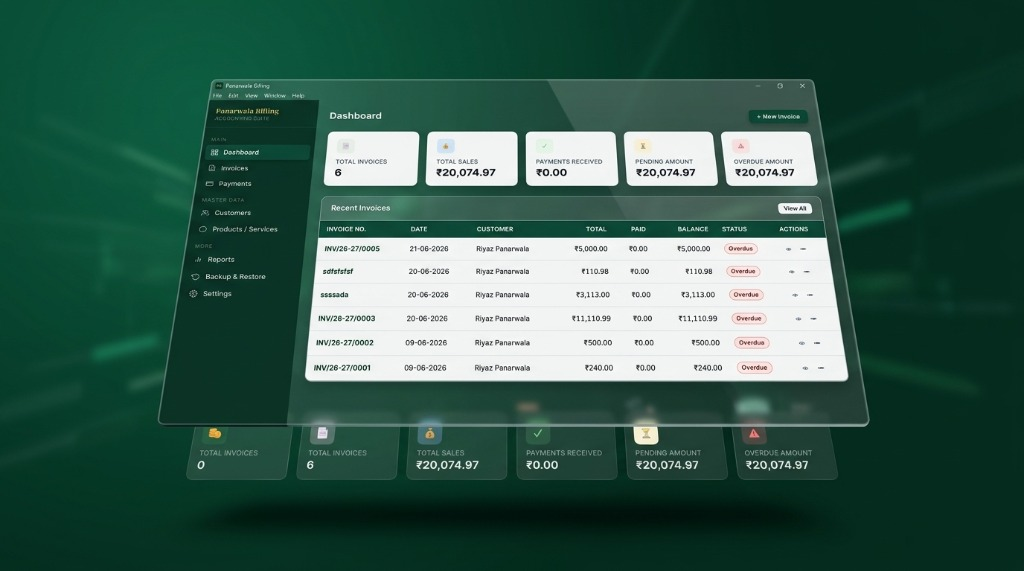
Panarwala Billing Desktop App

An offline Windows billing application for customers, products, invoices, payments, reports, printing, PDF export, and local backup workflows.

Case Study →
  • Electron
  • React
  • +6
↗

Financial Tool

Web application

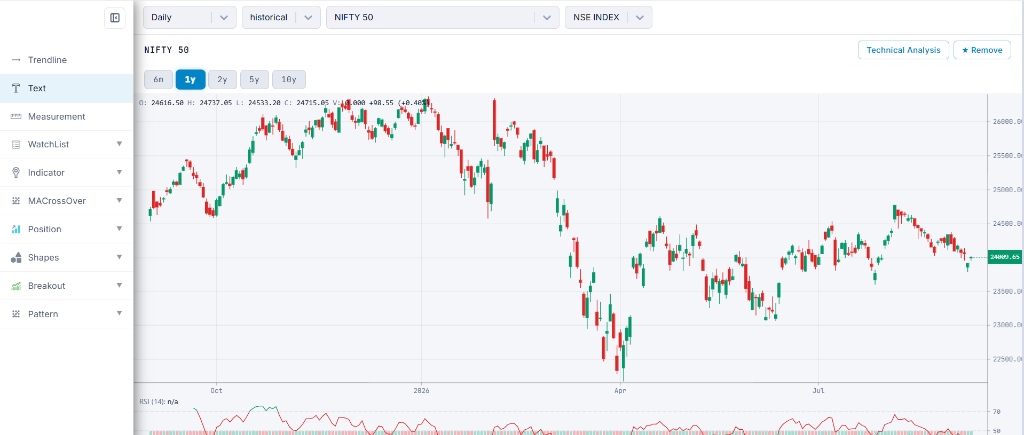
RCharts

A modern, high-performance Indian Stock Market (NSE & BSE) technical analysis dashboard, charting suite, option chain analyzer, and screening tools built with Next.js 16 and React 19.

Live Demo →
  • Next.js 16
  • React 19
  • +8
↗

Workflow Website

Web application

Panarwala & Associates

A responsive professional-services website that organizes tax consulting, preparation, and advisory information through reusable, accessible service pages.

Live Demo →
  • React
  • CSS custom properties
  • +1